In BEES Grow, by default you can search for an account using the account number, account name, or postcode. However there is also an additional field that depots can populate in Trinity which feeds into BEES, and can be used as an additional search keyword. This is commonly referred to as an Alt Key or Manual Key.
An Alt Key can be useful in scenarios where a customer is known by another name that is not present in the Trinity account name. It can also be useful for a common misspelling of a name.
Alt Key in Trinity
An Alt Key can be populated in Trinity via the Customer Account maintenance screens.
The Alt Key can be utilised in Trinity's Sales Order Entry. When prompted for an account number the user can instead type in the Alt Key and use the function key to use MANUAL ALT KEY. If the keyword entered matches the Alt Key set on an account then that account will be returned to the user. Order Entry will show accounts specific to the users depot.
Note: using Order Entry purely to check Alt Keys (labelled here as "Manual Key") will lock the account record, and will also show accounts not in BEES, so users should be cautious when using this route to troubleshoot issues.

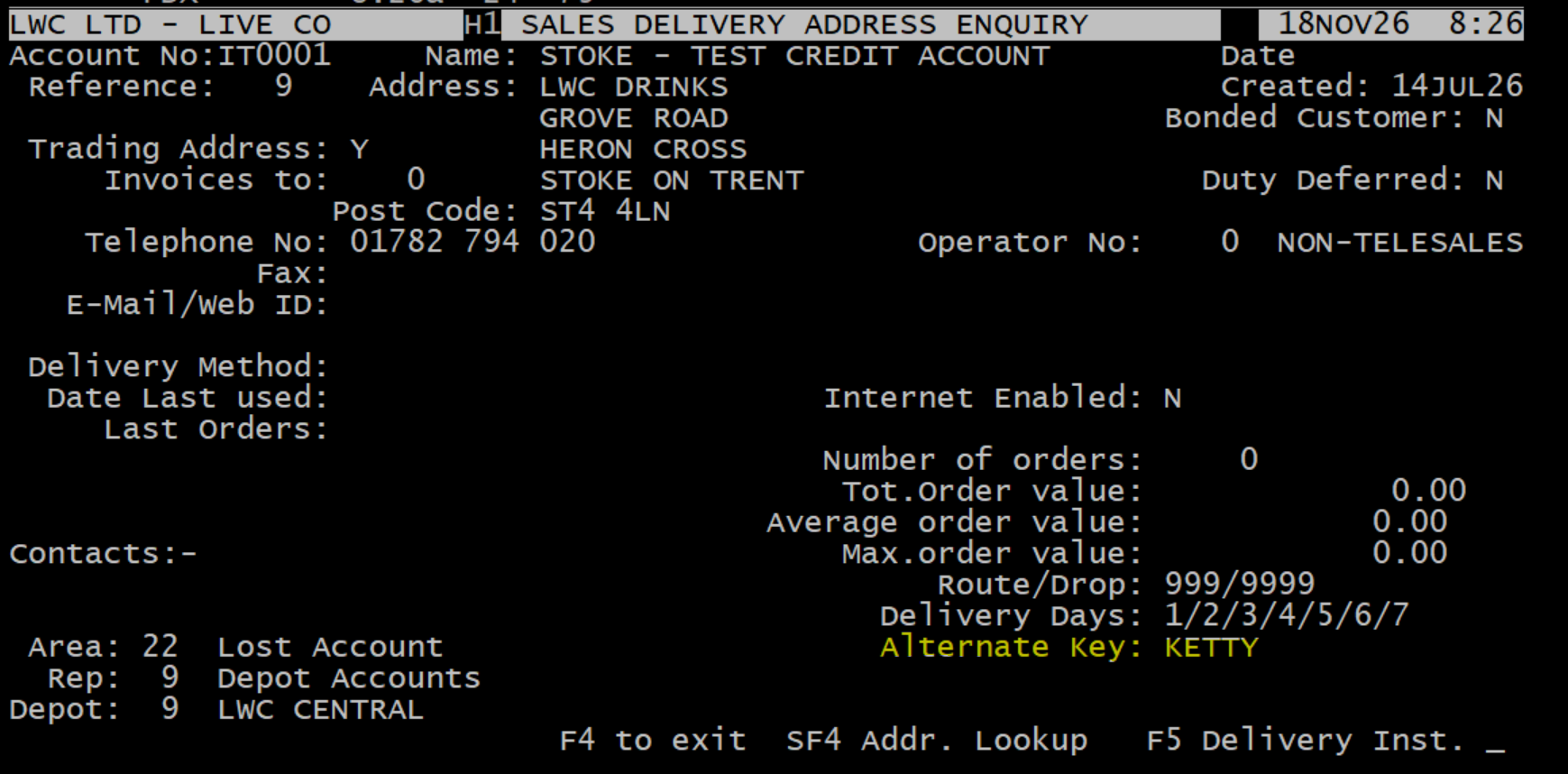
Trinity users can also utilise Alt Keys (and check what Alt Key is set on an account) in other places like Hotkeys > Delivery Address Enquiry and is labelled "Alternate Key". Note: Delivery Address Enquiry can return accounts from all depots.
Alt Key in BEES
Once a new Alt Key has been populated on an account in Trinity, it will take until overnight for the data to feed into BEES. Grow agents will then be able to search for for an account using the Alt Key (labelled "Alternative Key").
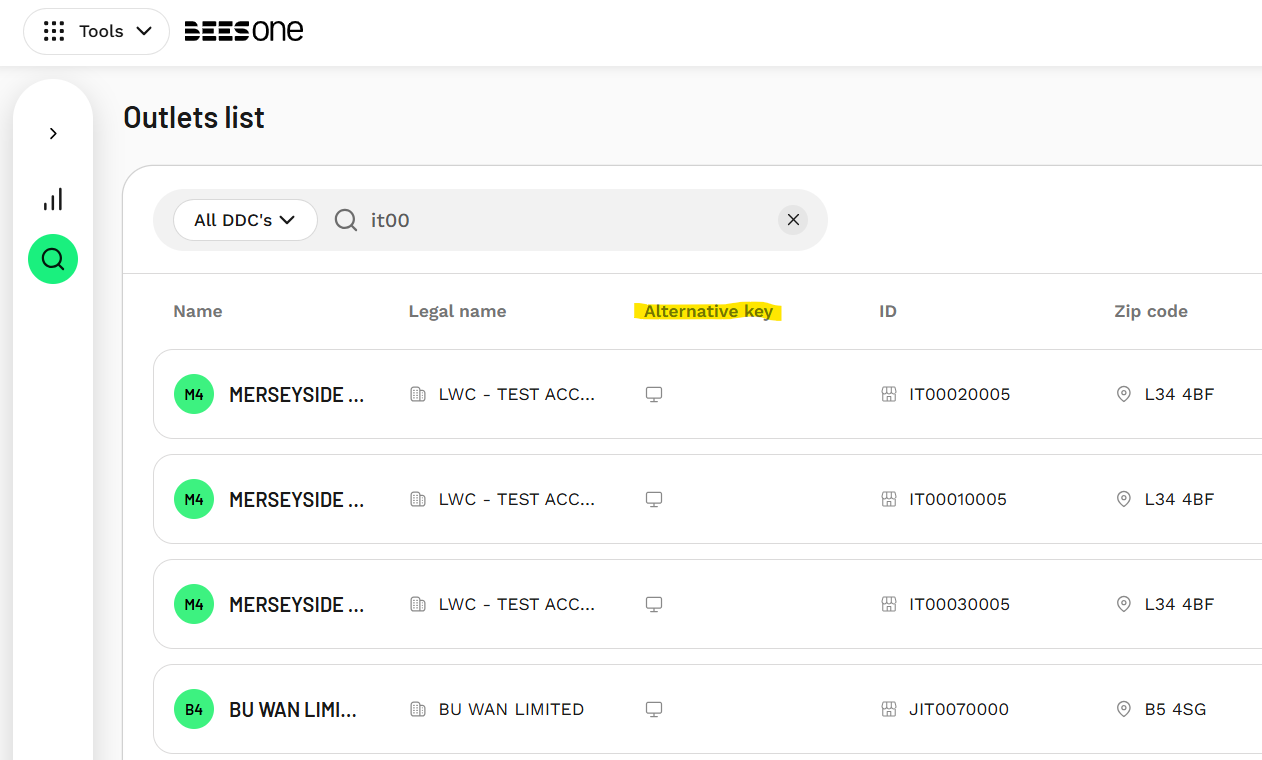
Simply click in the account search bar in Grow and then type in either the account number, account name, post code, or alt key, and a list of accounts that match the criteria will be returned.
Troubleshooting Issues
If an Alt Key is not displaying correctly in BEES Grow, then first check how the Alt Key is populated in Trinity. If the two systems do not match, then ensure the reason is not because someone has updated it in Trinity that same day and so BEES just hasn't had a chance to update yet - either run an audit in Trinity to see who last updated that field and when, or wait overnight and check again.
If the two systems still do not match then contact BEES Support with the account number for further investigation.
Was this article helpful?
That’s Great!
Thank you for your feedback
Sorry! We couldn't be helpful
Thank you for your feedback
Feedback sent
We appreciate your effort and will try to fix the article