Once an order has been placed on the BEES Customer app or on the web, and the order has been created in Trinity, then an order confirmation email will be triggered and sent to the customer. The email will be sent to the user who placed the order.
Since the order must be created in Trinity first, there can be a delay between the customer placing the order and them receiving the order confirmation email, particularly overnight when Trinity is offline.
If a customer hasn't received the order confirmation email
Ensure enough time has passed to allow Trinity to create the order. For example, if a customer has placed the order at 8pm in the evening, they will typically need to wait until the next morning for Trinity to have created the order and the email to be triggered.
Note: There may be additional delays during month-end.
The customer should also check the Spam folder in their email client in case the email has been filtered as spam.
Can the order confirmation email be resent?
No. It is not possible to re-trigger an order confirmation email. If the customer has not received the email for any reason then they should check their Order History to view details about the order they have placed. This can be accessed on the app by navigating to My Account > Orders.
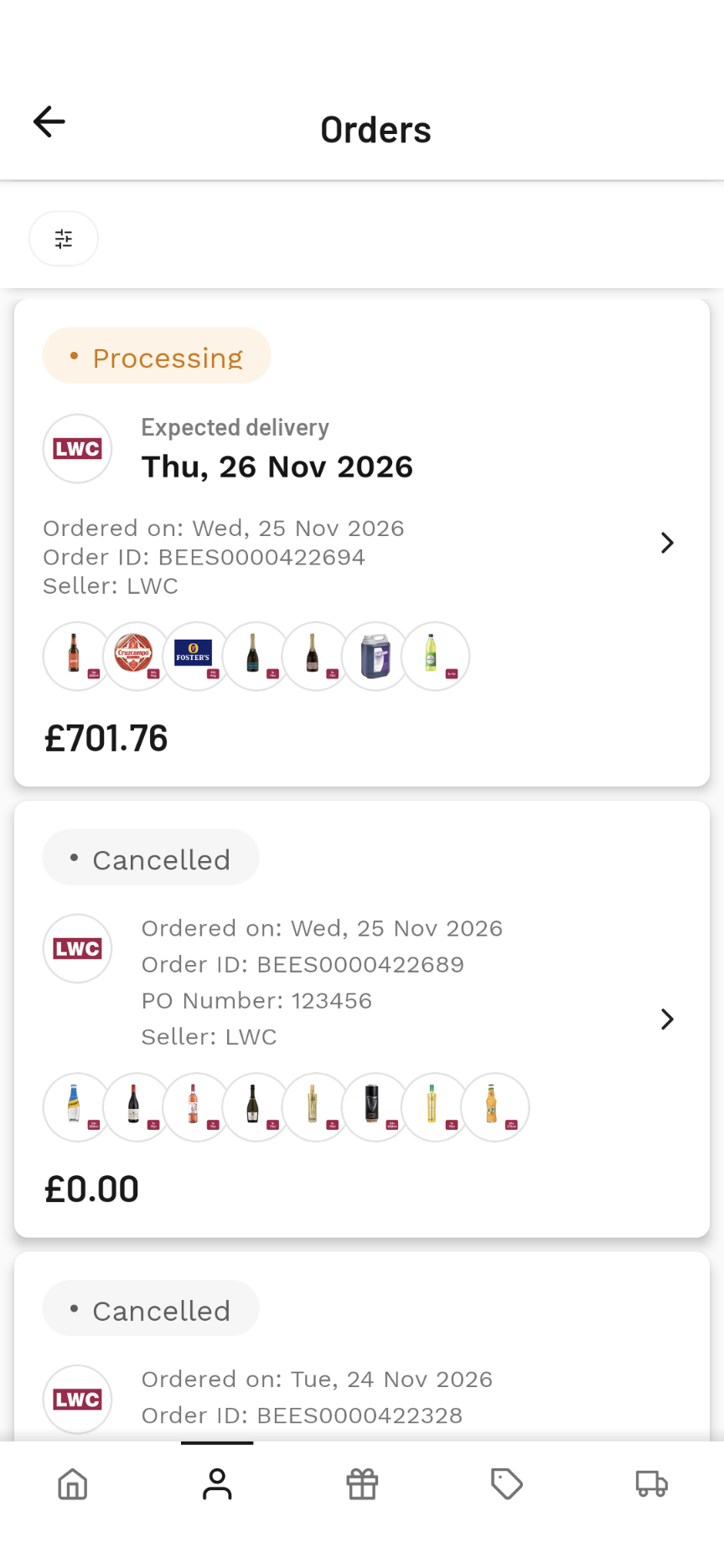
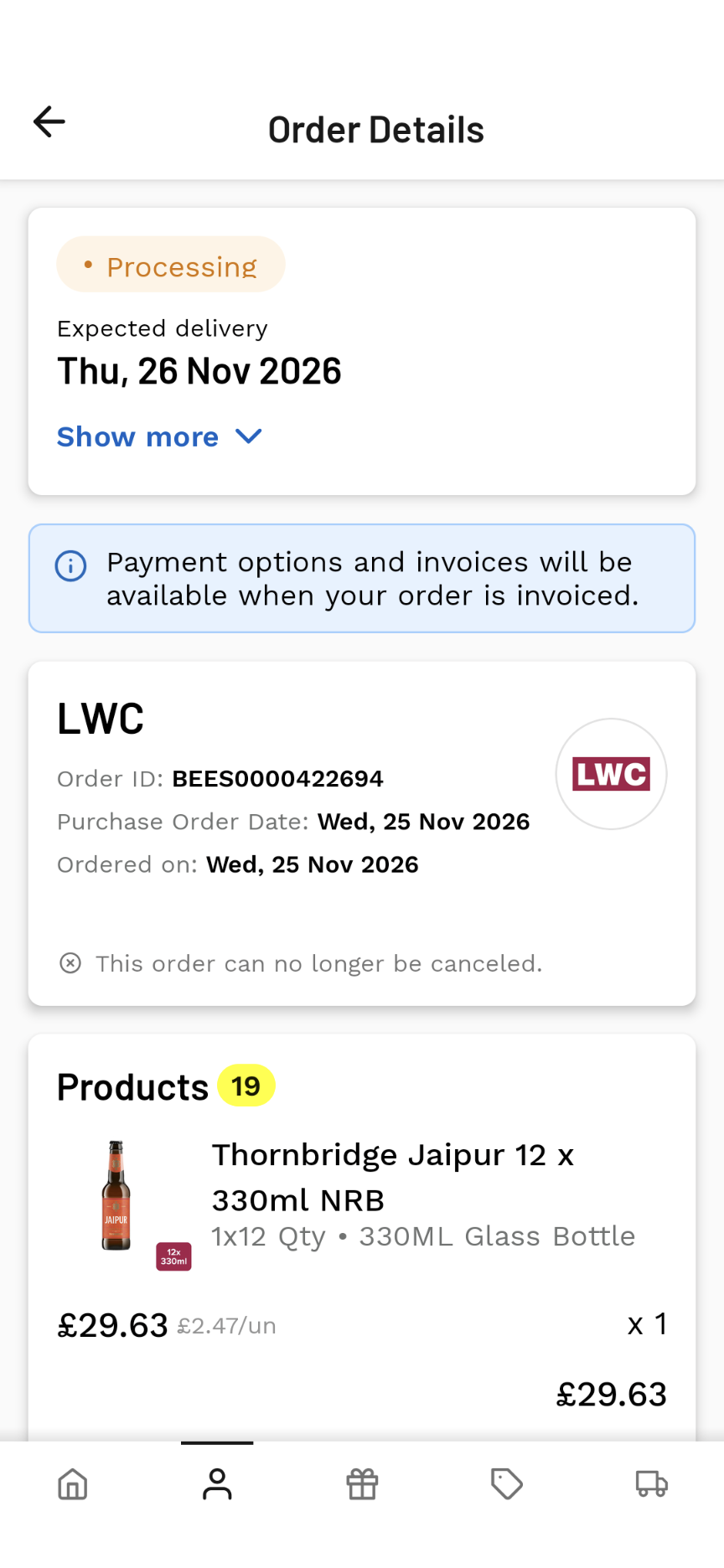
Tapping on an order then takes you to the Order Details as shown below.
Was this article helpful?
That’s Great!
Thank you for your feedback
Sorry! We couldn't be helpful
Thank you for your feedback
Feedback sent
We appreciate your effort and will try to fix the article